Close
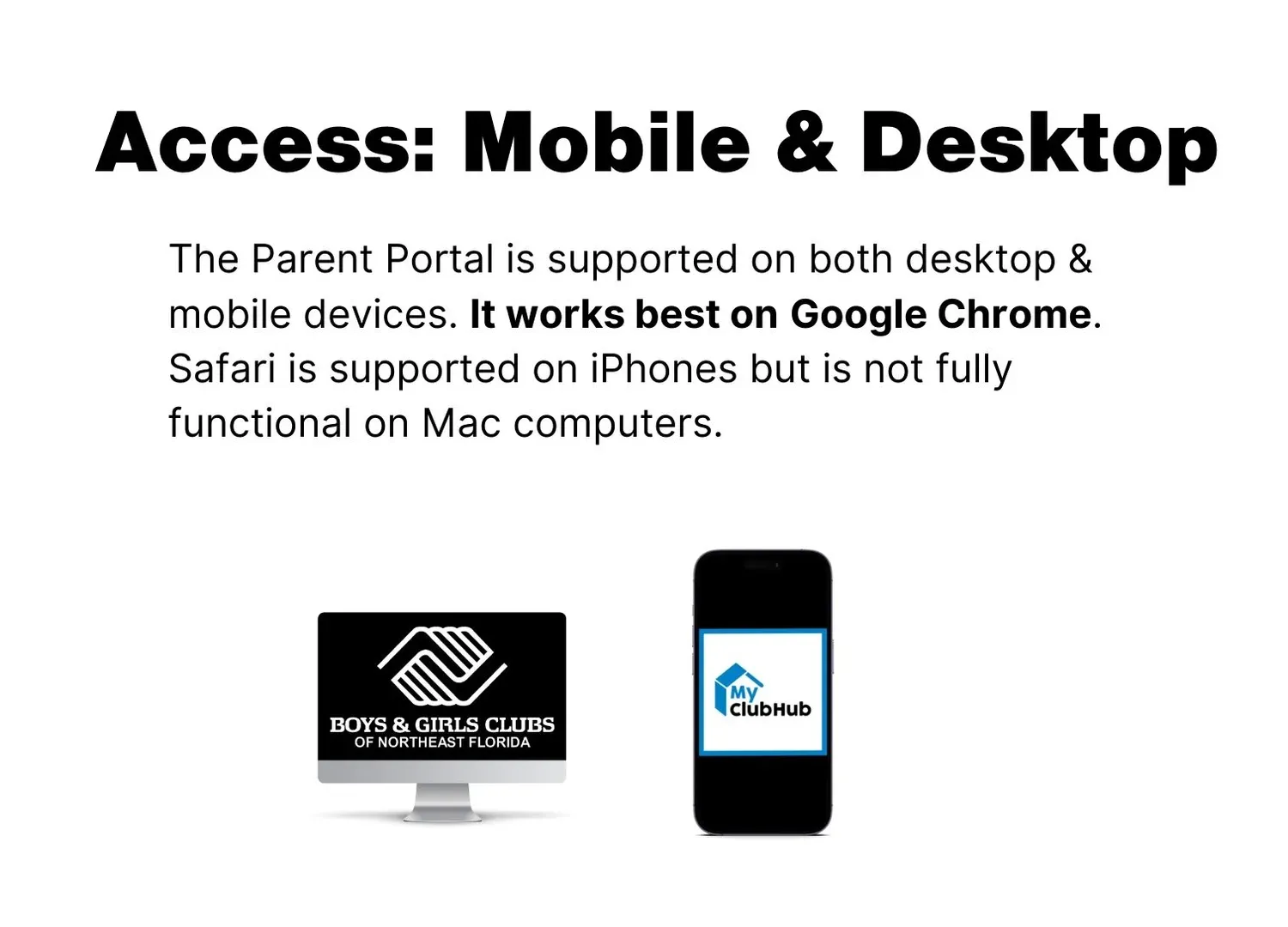
All members must register through the Parent Portal on My Club Hub.
Create your parent or guardian account on the Parent Portal.
Add your member and complete Club registration.
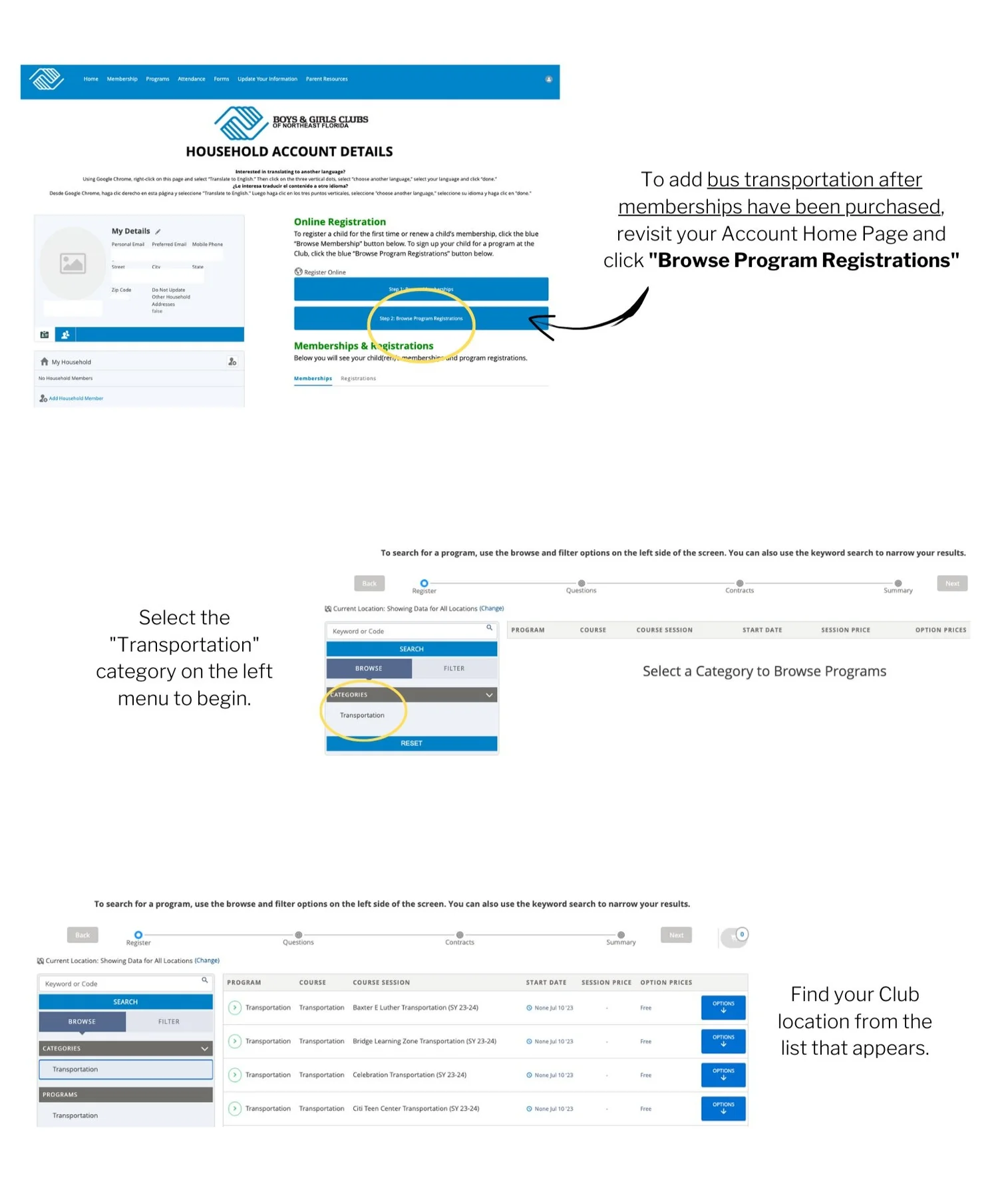
Register a member for transportation, separately from membership.
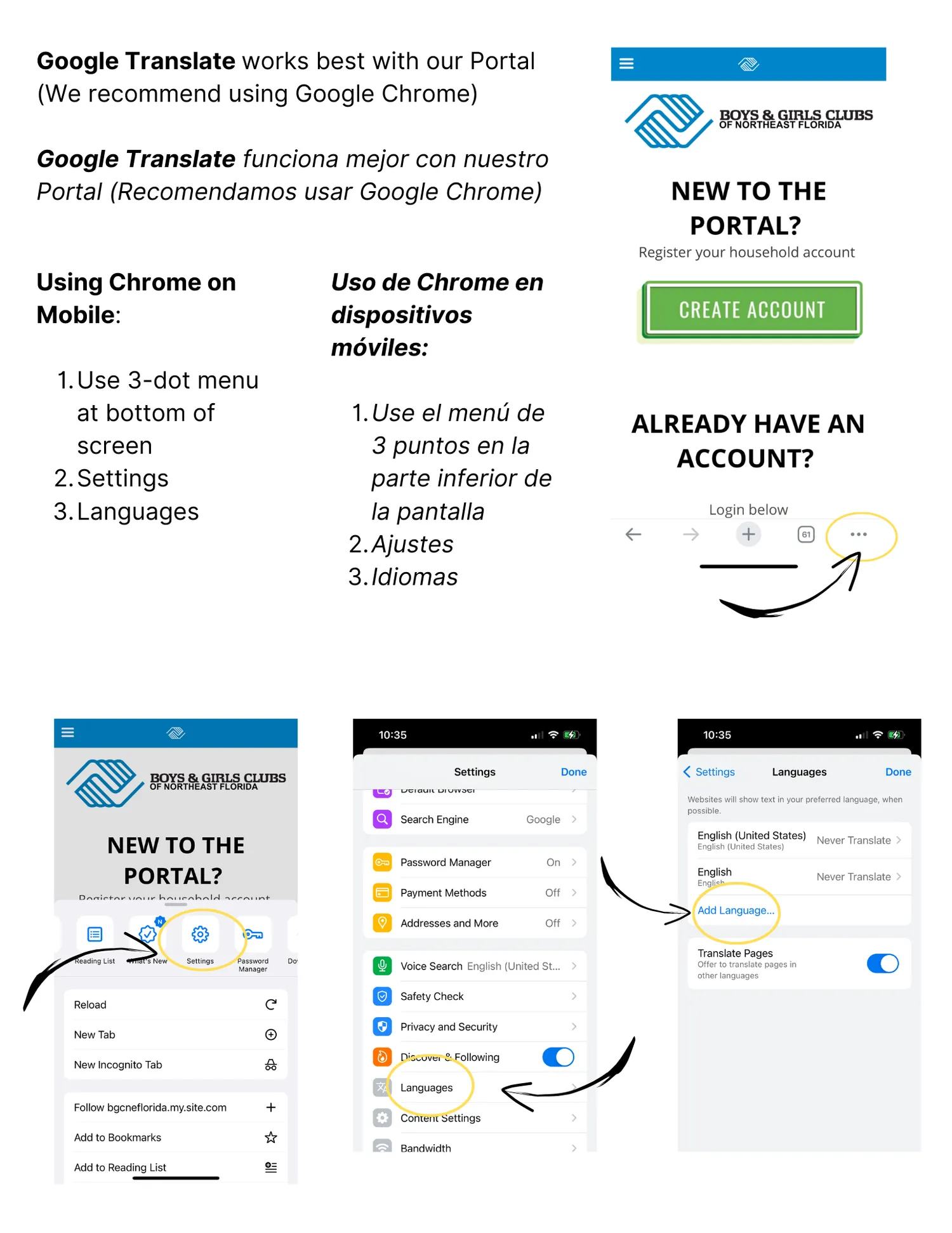
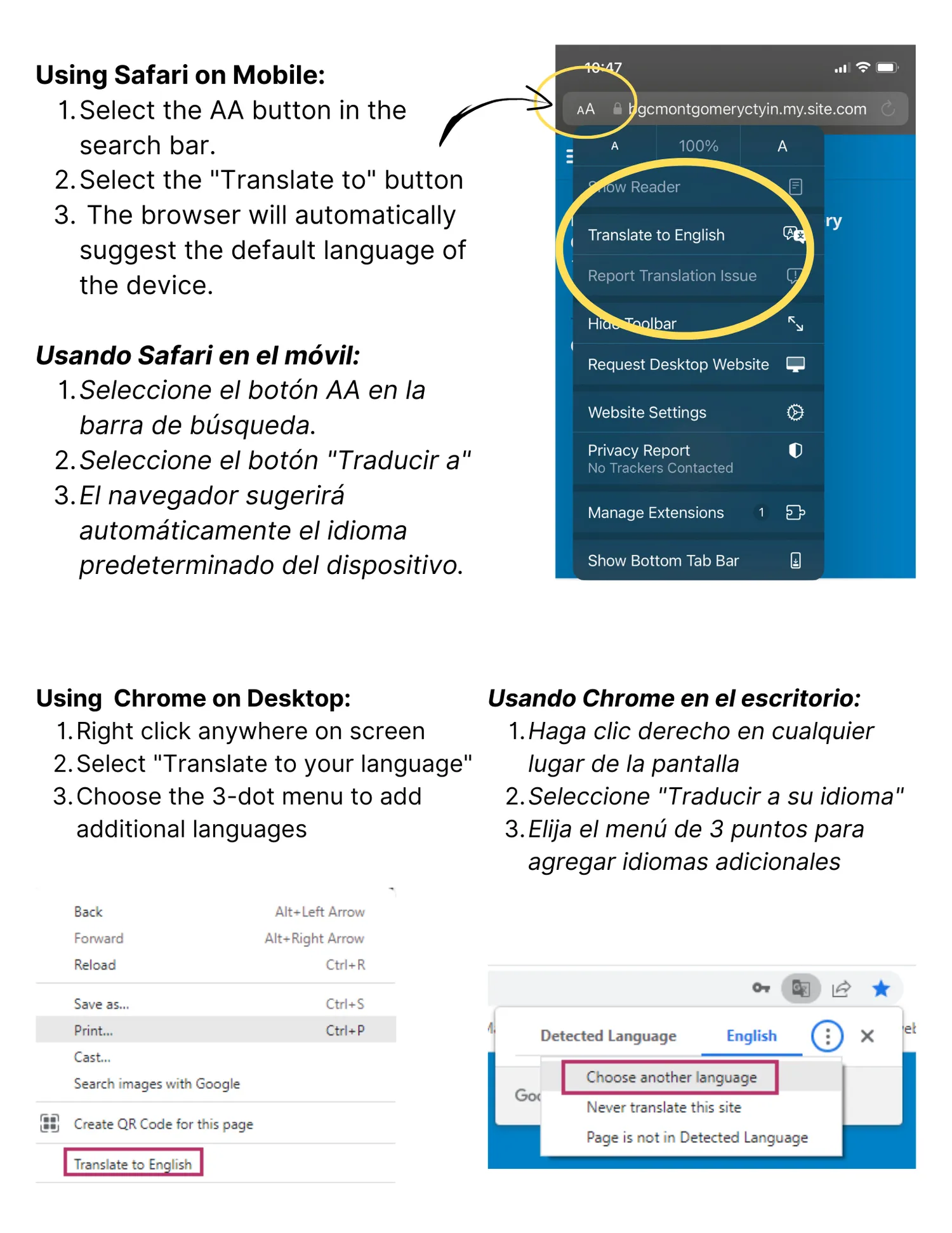
Configuración de traducción de idiomas.
Your parent or guardian account comes first. Nothing else can be registered until it exists.

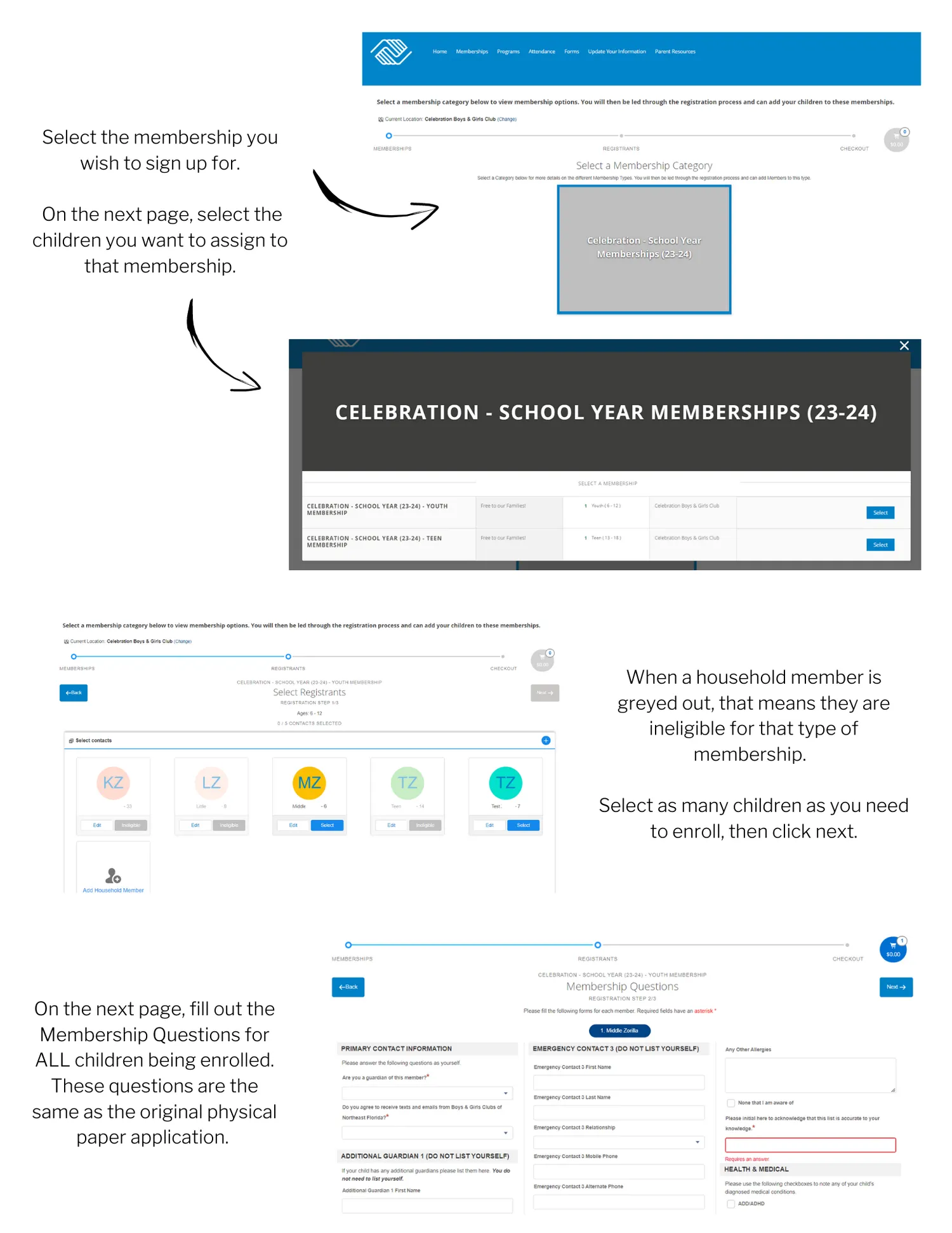
Add your member to your account, then complete the Club membership registration. Every member must be registered.

Transportation is registered separately from Club membership. Finish guide 02 first.

Set the Parent Portal to your language.
Configuración de traducción de idiomas.
You can apply online or an application can be picked up from your Club location. For a listing of our Clubs contact information, click here.
Apply online here for the school year (Note: Links only work during the open registration period for each session.)
Apply online here for Summer Academy (Note: Links only work during the open registration period for each session.)
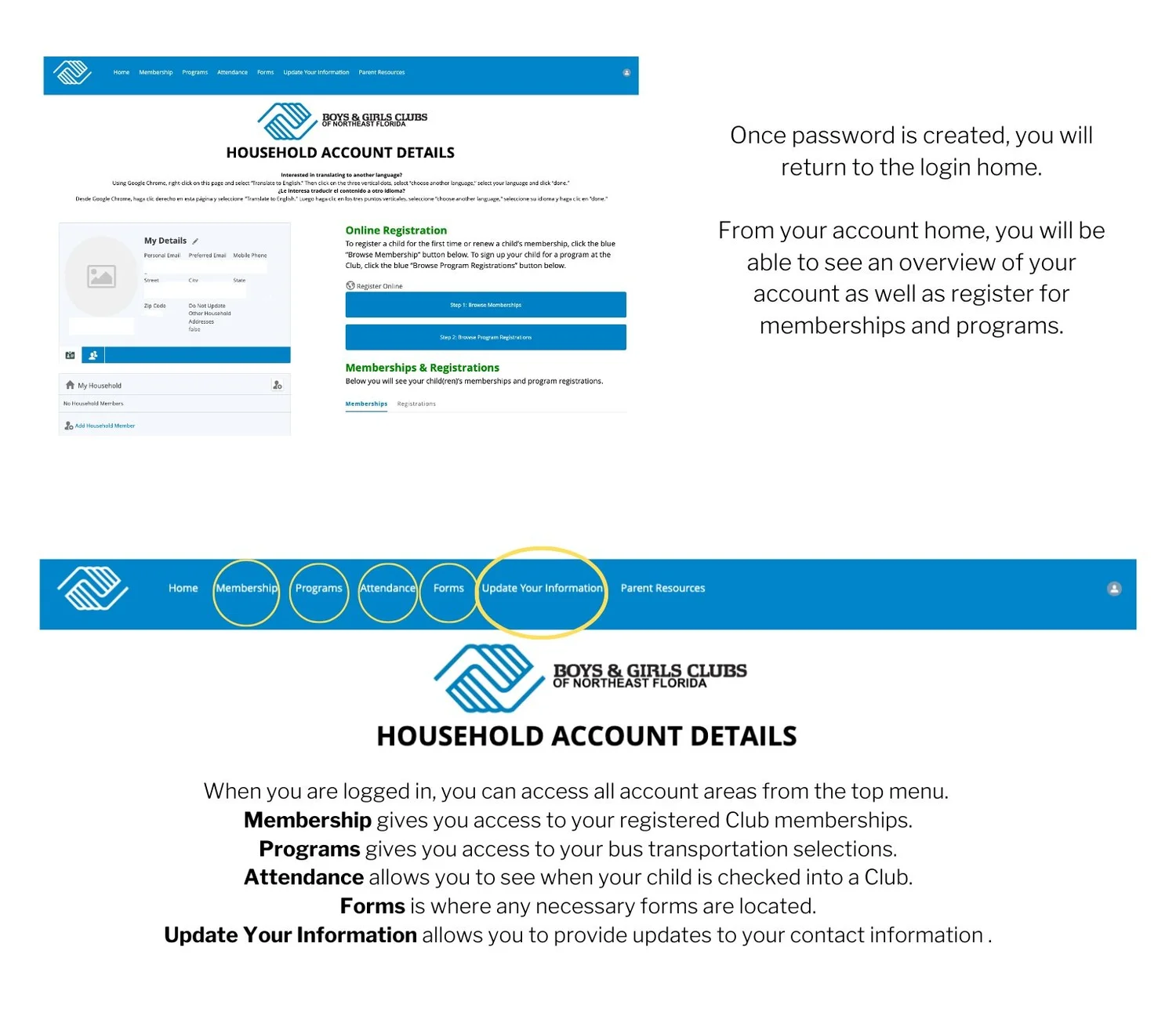
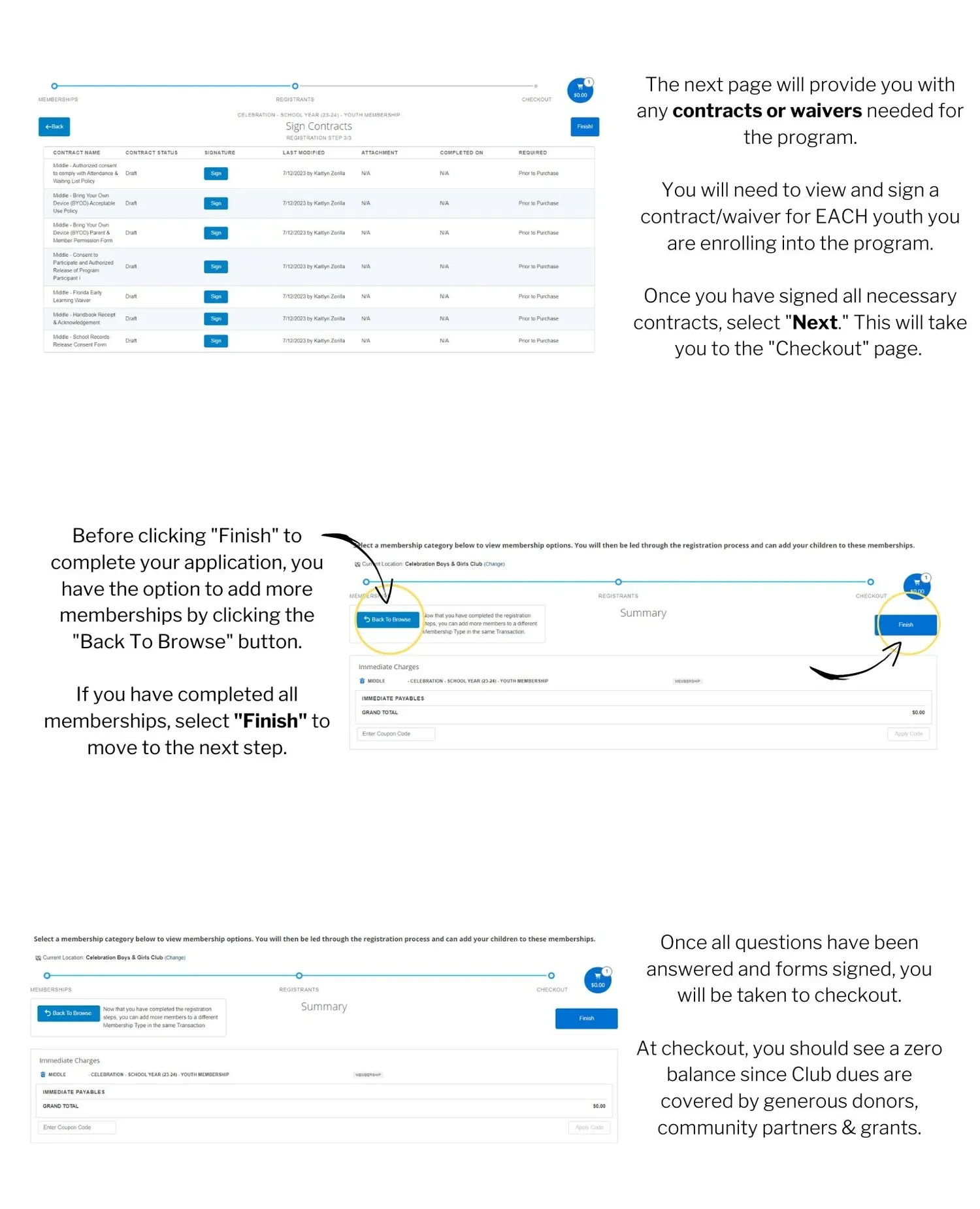
We have a detailed “Help & How-to” page for our My Club Hub Parent Portal that will help you step-by-step with your account setup and membership registration. Click the button below to access this help guide.
For questions about Club membership registration or the new Parent Portal, please contact the Unit Director for your Boys & Girls Club location from the list of Clubs here. If you are not able to connect with the Unit Director, you may email members@bgcnf.org.
For our Parent Handbook of policies and procedures, please click here.
If you have any other questions regarding memberships, please contact the Club nearest you or call (904) 396-4435.
Contact the Unit Director for your Club, or email the membership team.